
 Login

How B2pweb enhances security for its users
At B2P, security is a key issue that we place at the heart of our priorities. On the freight exchange, several measures have been put in place to protect you against the risk of fraud. The end of the year is a prime time for fraudsters (high levels of activity, reduced staffing, last-minute emergencies, etc.). Before allocating a load, please take a few seconds to check the identity of the person you are dealing with.
 20 November 2026
 B2PWeb
As the holiday season approaches—a time when freight becomes more vulnerable and attempts at identity theft and theft increase—we’d like to remind you of the tools available to help you verify your contacts and protect your account.
The Essentials in 3 Habits

2. Check their documents
Contact information, licenses, insurance, and Kbis: verified by our team.

3. Enable two-factor authentication
Even if your password is stolen, your account remains protected.
1. Securing Communications
Verify your contact’s email address with Verif’mail
With just one click, check whether an external email address is recognized by the B2pweb database and thereby reduce the risk of identity theft.
1. Open the tool
In the toolbox, from the menu bar in the upper-right corner, or directly in the tool in the lower-right corner.
2. Enter the address
Enter the email address(es) you want to check, then click ” Check.”
3. Read the gauge
The tool instantly queries our database and displays a confidence score.
How do you interpret the result?

This email address is associated with a B2pweb account.
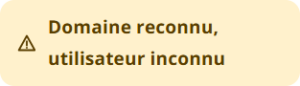
The company (the domain name) is well known to us, but this specific address is not registered with us. Please remain vigilant.

Gmail, Orange, Outlook… This type of domain does not identify a company: recognizing the domain provides no guarantee. Use a professional email address instead.

Neither the user nor the domain is listed in the B2pweb database. Exercise increased caution.

Disposable email addresses, frequently used in fraud attempts. We strongly advise against any communication.
Three More Checks You Can Perform
The freight offers posted on B2pweb give you access to additional checks, performed or verified by our team.

Verify identity and contact information
Ask your contact to click the “Send your contact information to the poster” button, which is available on the listing they viewed. B2pweb will then send you an email containing the secure contact information, which was verified during registration.

Check to make sure he has actually reviewed your offer
View the list of carriers who have viewed your freight offers before they contact you by clicking on “Activities > Viewers. “ You can also assess the appeal of your offer and stay proactive in your search for charterers.
Look for the tenure indicator next to the company’s name. A recent account calls for extra caution:


Verify that legal documents comply with regulations
Ask your contact to click the “Select the documents to send to the applicant” button. B2pweb will email you the documents that have been verified by our team: licenses, insurance policies, Kbis extracts, certifications, etc.
2. Securing Access to Your Account
3. What B2pweb Monitors for You
Before and after registration, our teams verify companies and monitor access. Three key steps:
AT THE ENTRANCE
Verification of New Subscribers
- Verification of the company’s existence in the commercial register
- Verifying its registration in the trade directory (licenses)
- Legal documents required for registration: Kbis – License – Insurance (valid)
- Verification and validation of all contact information (phone, fax, email)
- Individual login and password for each user
- Stricter requirements for foreign companies: mandatory intra-EU license and submission and verification of two references from French carriers
DAILY LIFE
Subscriber Tracking
Users and access codes:
- At least two follow-up phone calls per year, with an update to the list of users
- Secure procedures for creating or modifying access rights
- Only the user administrator can submit a request via email
Shipping documents:
- Regular license checks
IN PARTNERSHIP
Gedtrans, Document Management
Access documents posted on Gedtrans via the B2pweb directory (requires a Gedtrans subscription)

4. Cyber Safety Tips to Follow
Choosing Strong Passwords
- Long, complex, and unique for each account
- Kept secret, preferably in a secure password manager
- Supplemented by two-factor authentication on your B2pweb account

Be wary of unexpected or alarming messages
- Check the sender (especially the part after the @) and any links before clicking
- If in doubt, check the address using Verif’mail
- Don’t rush to reply
- Always verify the information yourself by logging into your account on the relevant service
Do you have a question about your account security?
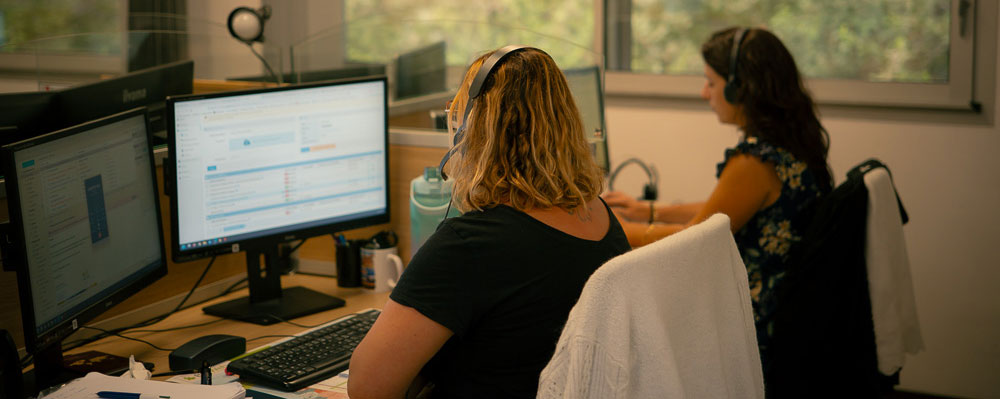
Our teams are here to help you.