 Login
Login
Find my B2PWeb access code
My username or password seem to be invalid. How can I find out?
- Tip 1: Enter your password manually. Even if it is saved and suggested to you. Delete it and enter it again.
- Tip 2: Be careful with capitals and lower case letters 😉
- Tip 3: Your password is already entered but you don't remember it. It seems to be invalid and thus, as Tip 1 indicates, you would like to retype it. We'll help you find it again!
Password recovery procedure according to your browser
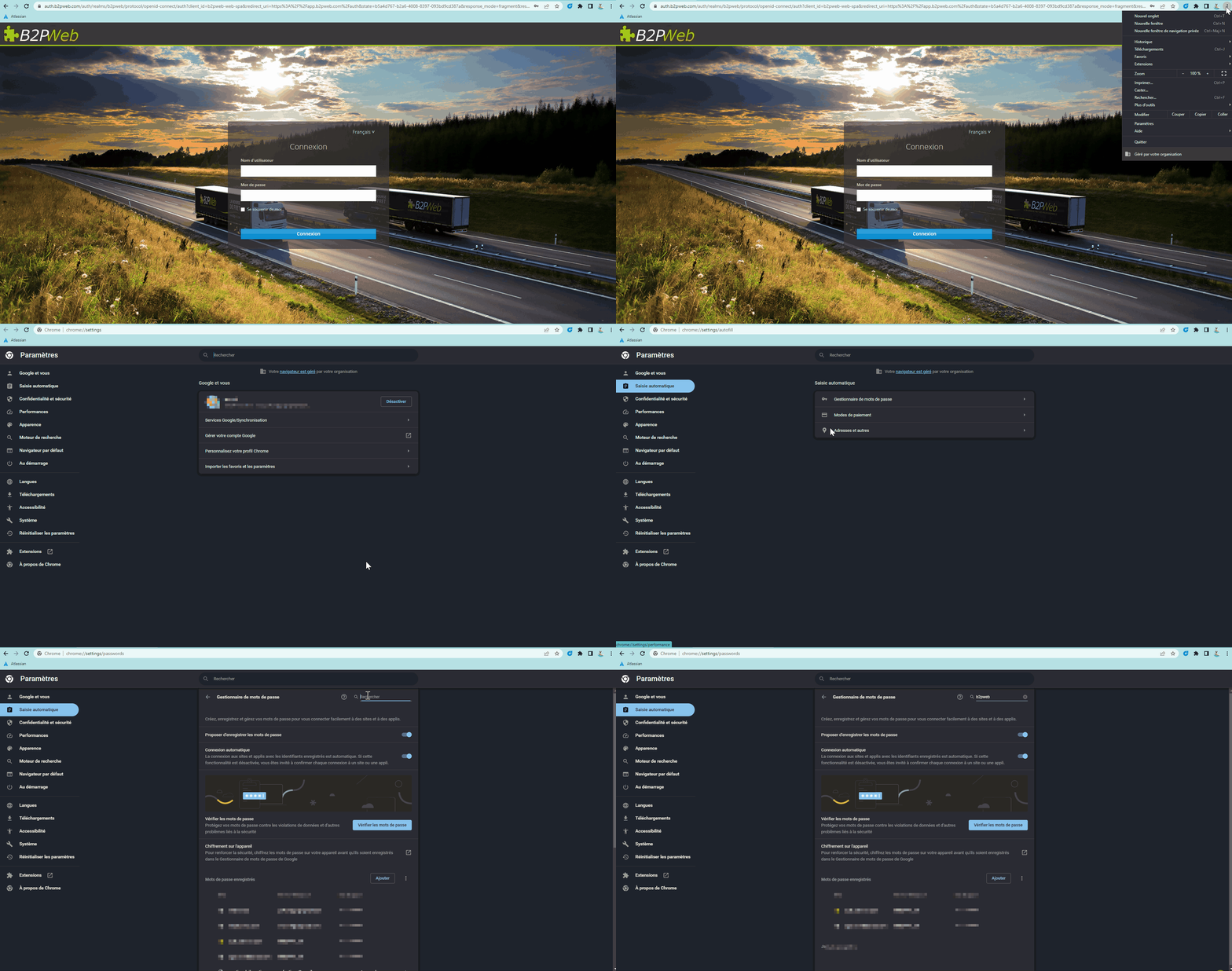
Google Chrome :
Go to Menu, then Settings.
Click on Autocomplete, then Password Manager. In the search bar, type B2PWeb. Click on the concerned line to display your password.
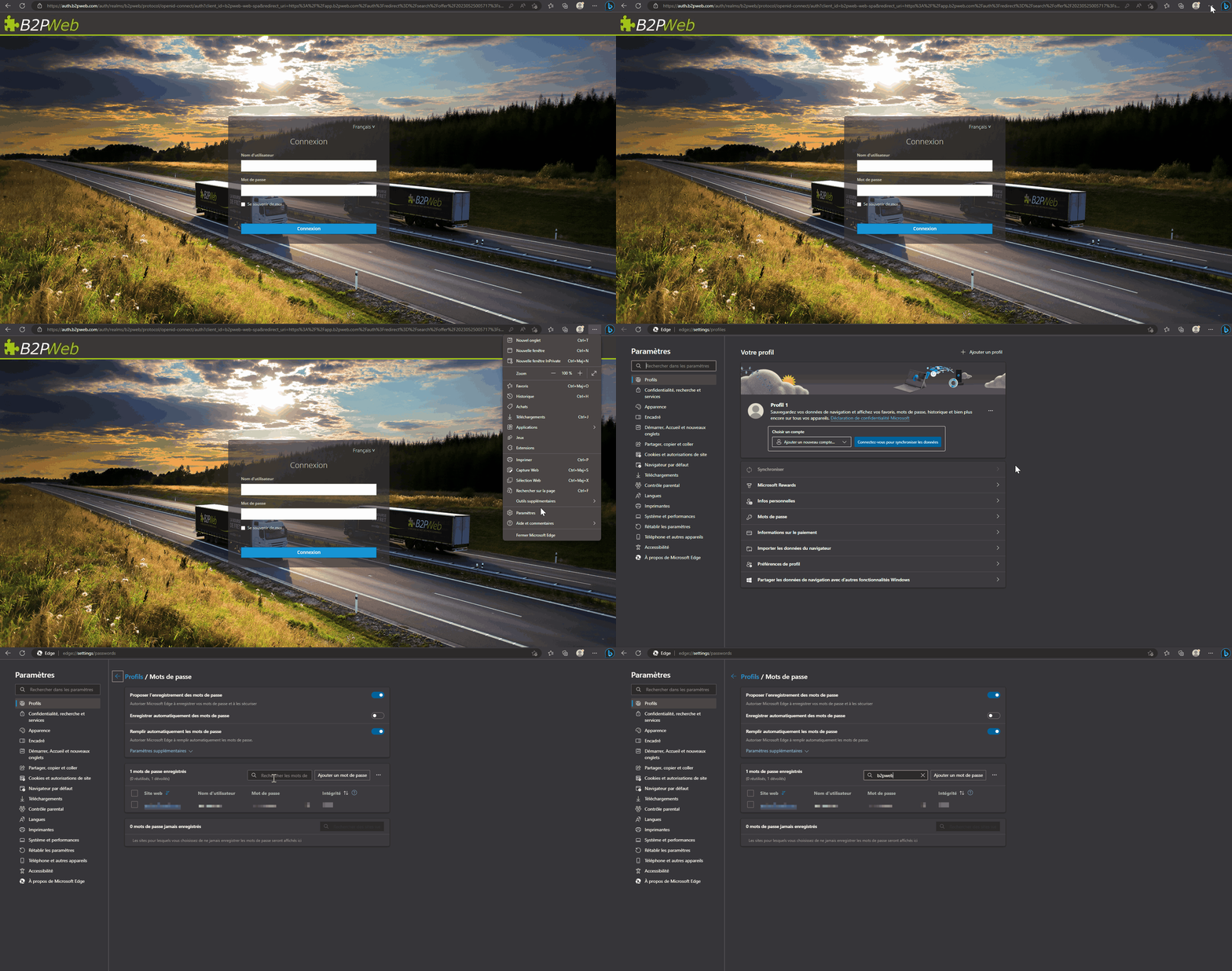
Microsoft Edge:
Go to Menu, then Settings.
In Profiles, click on Passwords. In the search bar, type B2PWeb. Select the appropriate line and click to display your password.
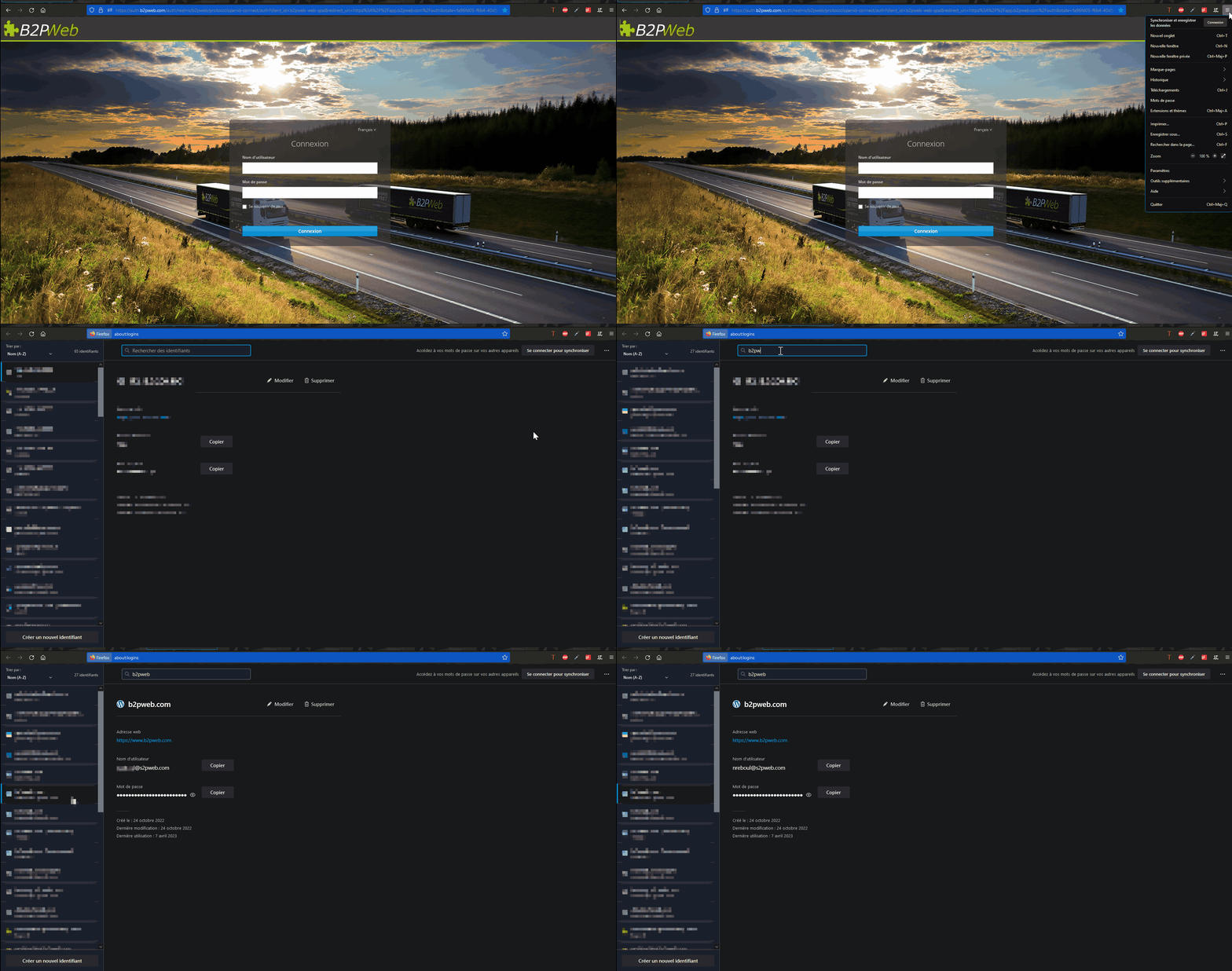
Mozilla Firefox :
Go to Menu, then Passwords.
In the search bar, type B2PWeb. Select it, then click to show your password.
As a last option, you can reset your password by clicking on this hyperlink: Forgot your password?